

USDC, they must also hold a small amount of the native tokens of the blockchains used to pay the gas fees. This creates friction because you must constantly top up all your wallets in order for them to stay functional.
The Fee Sponsor enables you to sponsor gasless transactions for your wallets. This allows you to manage a small set of fee sponsor wallets with native tokens and use them to pay gas fees for other wallets.
Fee sponsorship works on both the Transfer API and the Sign & Broadcast Transaction API — so arbitrary smart-contract calls can be sponsored too, not just transfers. On Sign & Broadcast, the UserOperations transaction kind is purpose-built for fee-sponsored calls: it lets you sponsor one or more arbitrary contract calls (including batches) and requires a feeSponsorId.
To sponsor a transaction,
- Designate a DFNS wallet as the fee sponsor. See below for supported networks.
- Fund the fee sponsor wallet with some native tokens.
- Specify the
feeSponsorIdwhen creating a transfer request, or when broadcasting aUserOperationstransaction via Sign & Broadcast Transaction. Note that the sponsor and sponsoree wallets must be for the same network.
Finding your fee sponsor ID:
feeSponsorId is the ID of the fee sponsor entity (format fs-...), not the sponsor wallet’s ID or address. It is returned when you create a fee sponsor, and you can look it up later via List Fee Sponsors / Get Fee Sponsor, or in the dashboard under Settings → Fee Sponsorship (each sponsor shows a Sponsor ID you can copy). Passing a wallet address or wallet ID is rejected.Funding the sponsor wallet
There is no fixed minimum balance. A fee sponsor pays gas out of its own native balance, so fund it with the native token of its network (for example ETH on Ethereum, SOL on Solana, XLM on Stellar) in proportion to the volume and cost of the transfers you expect it to cover.- Size the balance to roughly
expected sponsored transactions × typical gas cost per transactionfor your busiest period, plus headroom for gas-price spikes. - Monitor the sponsor wallet’s balance and top it up before it runs low. If the sponsor cannot cover the fee, the sponsored transfer fails.
- Use Estimate Fees to gauge current per-transaction cost on the target network.
The sponsor wallet balance is shown under Settings → Fee Sponsorship in the dashboard, alongside each sponsor’s network and Sponsor ID.
From the dashboard
You can manage fee sponsors without the API, under Settings → Fee Sponsorship.1
Open Fee Sponsorship
Existing sponsor wallets are listed with their network, balance, and Sponsor ID. Click New Sponsor Wallet to add one.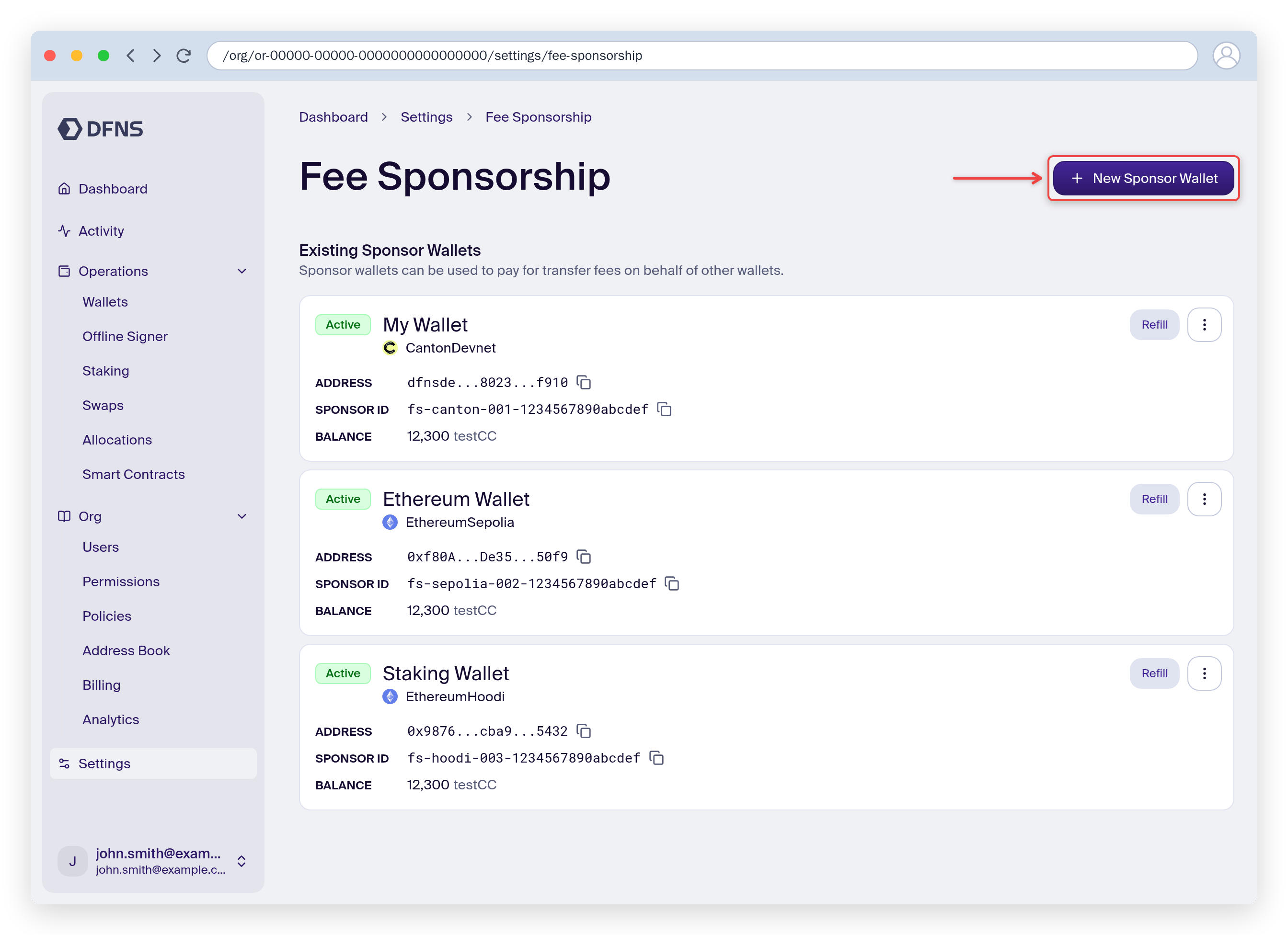
2
Designate a sponsor wallet
Create a new wallet to sponsor with, or pick an existing wallet from the Existing Wallet tab. Fund it with native tokens, then reference its Sponsor ID (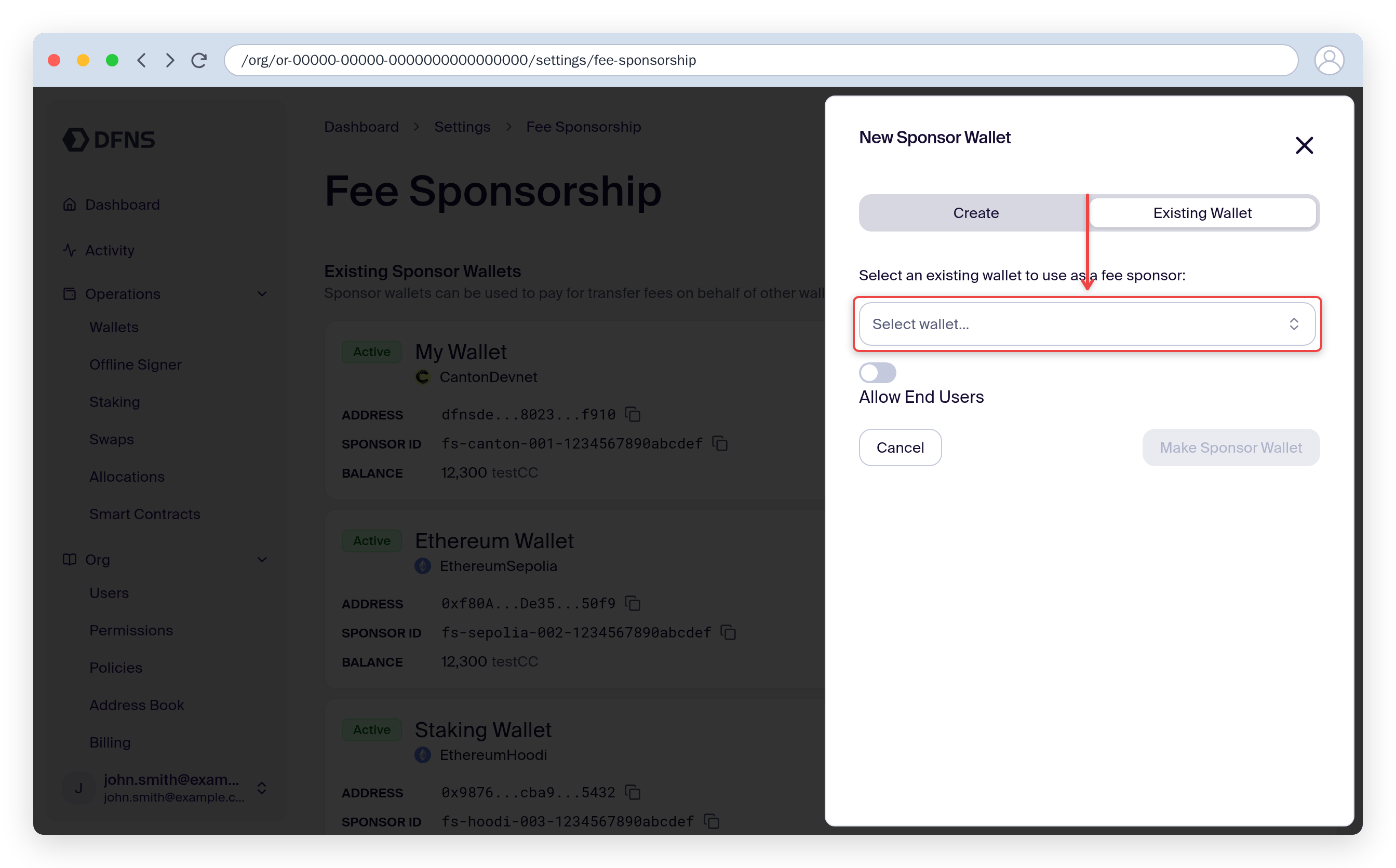
fs-...) when creating transfers.End user access
By default, only service accounts and organization users (CustomerEmployee) can use a fee sponsor when creating transfers. If you want your end users (EndUser) to use a fee sponsor when making transfers from their delegated wallets, set allowEndUser: true when creating the fee sponsor.
The sponsoree wallet (the wallet being sponsored) must be an org-managed or delegated wallet in DFNS. External wallets cannot be sponsored.
A wallet that is registered as a fee sponsor cannot itself be sponsored. To move funds out of a fee sponsor wallet, send the transfer without a
feeSponsorId so the wallet pays its own gas from its native balance.Supported networks
Not all networks support this feature. You can create fee sponsors for the following supported networks.Not all networks support fee sponsorship. For TRON, you can achieve a similar result using native resource delegation.