
- Fido2 Credentials (aka “Passkeys” / “WebAuthn”) -> Uses WebAuthn standard to create/manage passkeys on your device (see more about that below). You can use passkeys if you need a client-side User signature (eg. in a web app / native app).
- Key Credentials -> “manually” generate keypairs yourself, and store them however you see fit (see How to generate a keypair). You can use Key Credential if you need a Service Account sitting in your server to also be the signer for example.
| Identity | WebAuthn Credentials | Key Credentials |
|---|---|---|
| User | ✅ | ✅ |
| PAT (Personal Access Token) | 🛑 | ✅ |
| Service Account | 🛑 | ✅ |
User Credentials - Passkeys
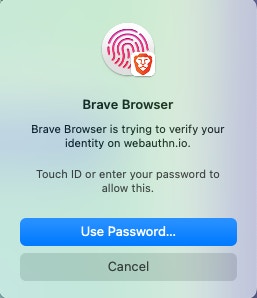
Users can register with a WebAuthn Credential (aka “Passkey”) or with a raw Public/Private Key Passkeys is the common term used to describe the Fido2 standard called “WebAuthn”. It is a web authentication standard supported by most modern browsers, phones and devices, which leverages your devices key-management features (like touch ID on a mac, a phone authenticator, a yubikey, some password managers support creating and storing passkeys, etc). Those passkeys can then be used by the user to sign payloads when needed. Here’s some screenshots with some examples of WebAuthn prompts shown in your browser during Credential creation, or during Signing using those Credentials.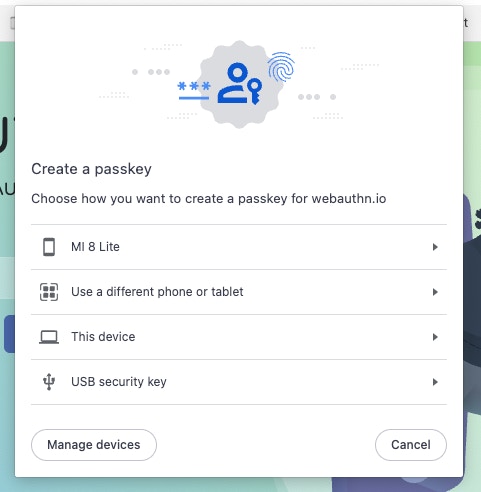
You can read more about WebAuthn on webauthn.guide,
and if you want you can test a WebAuthn demo on
webauthn.io
Machine Credentials - Asymetric Keys
When registering a new long-lived access token (Service Account or Personal Access Token) to be used by a backend, you need to link a public-private key pair to your token. This is done by passing a public key with the API call. See Generate a Key Pair for information about how to generate a key pair.Public Key Format
Public Keys need to be formated with PEM encoding.PEM Encoding
PEM encoding base64 encodes the public key data and places it between a header and footer. The header and footer can be slightly different depending on the crypto library you use, but it will always have the same basic format:Converting from raw to PEM
Some crypto libraries do not support PEM format. If your library supports exporting to SPKI you can export the key into SPKI format, base64 encode that value, and place it inside the header and footer.Registering a key pair
When registering a user with a private key, you need to:- Get a registration challenge from the Dfns API
- Create the key pair locally
- Sign the registration challenge and public key
- Return the signed challenge to the Dfns API
The Registration Challenge
A registration challenge is returned from calls to:- /auth/registration/init
- /auth/registration/delegated
- /auth/credentials/init
| field | description |
|---|---|
challenge | A string that will be signed with the new credential |
temporaryAuthenticationToken | A JWT that is passed to the registration endpoint to identify the registration session |
supportedCredentialKinds | The list of credential types that are supported, should always contain “Key” |