

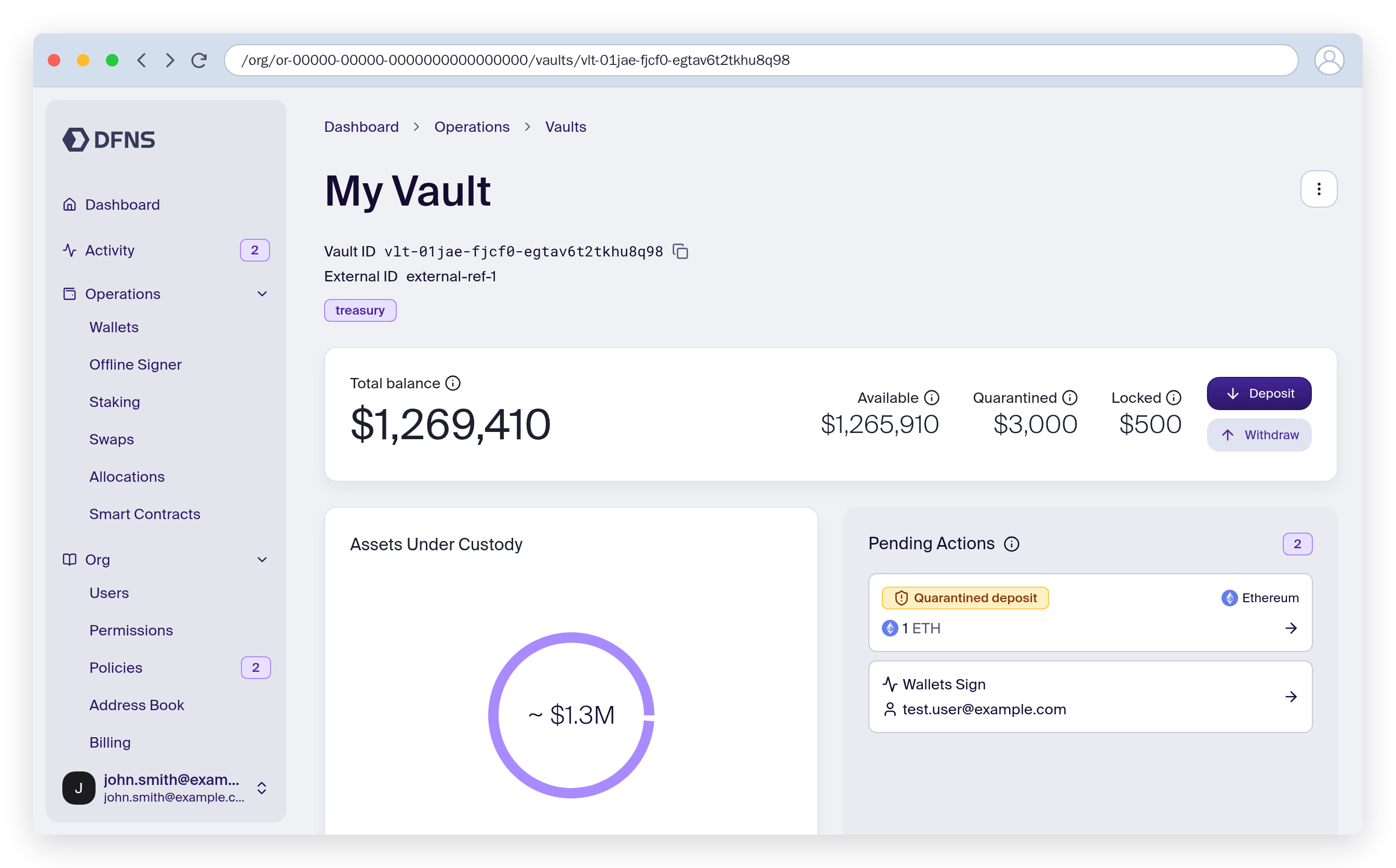
Create a vault
1
Open Vaults
In the dashboard, go to Vaults. The list shows every vault in your organization; filter it by tag to narrow the view.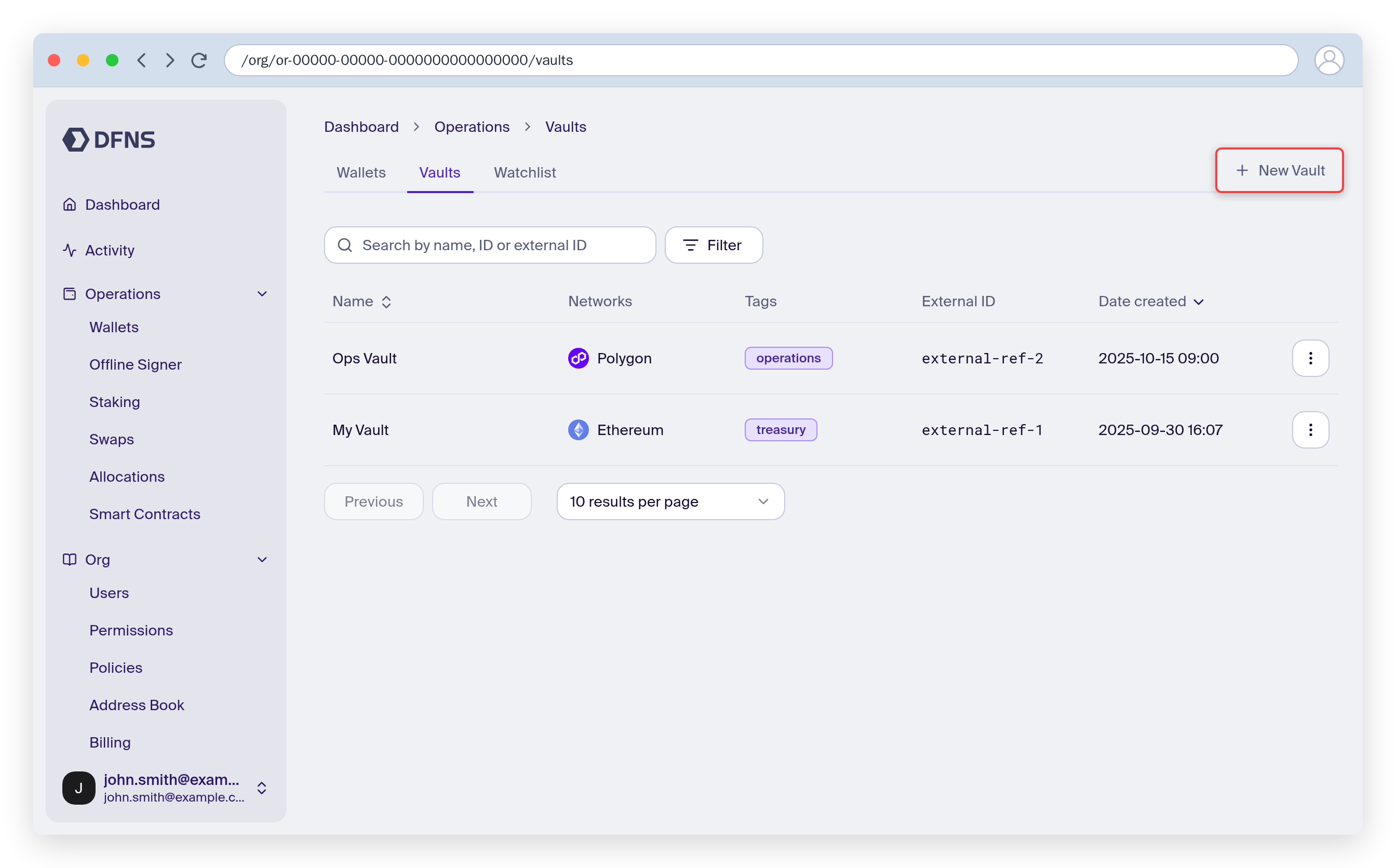
2
Create the vault
Select Create vault, give it a name, and optionally add tags to organize it. The new vault opens with no networks yet.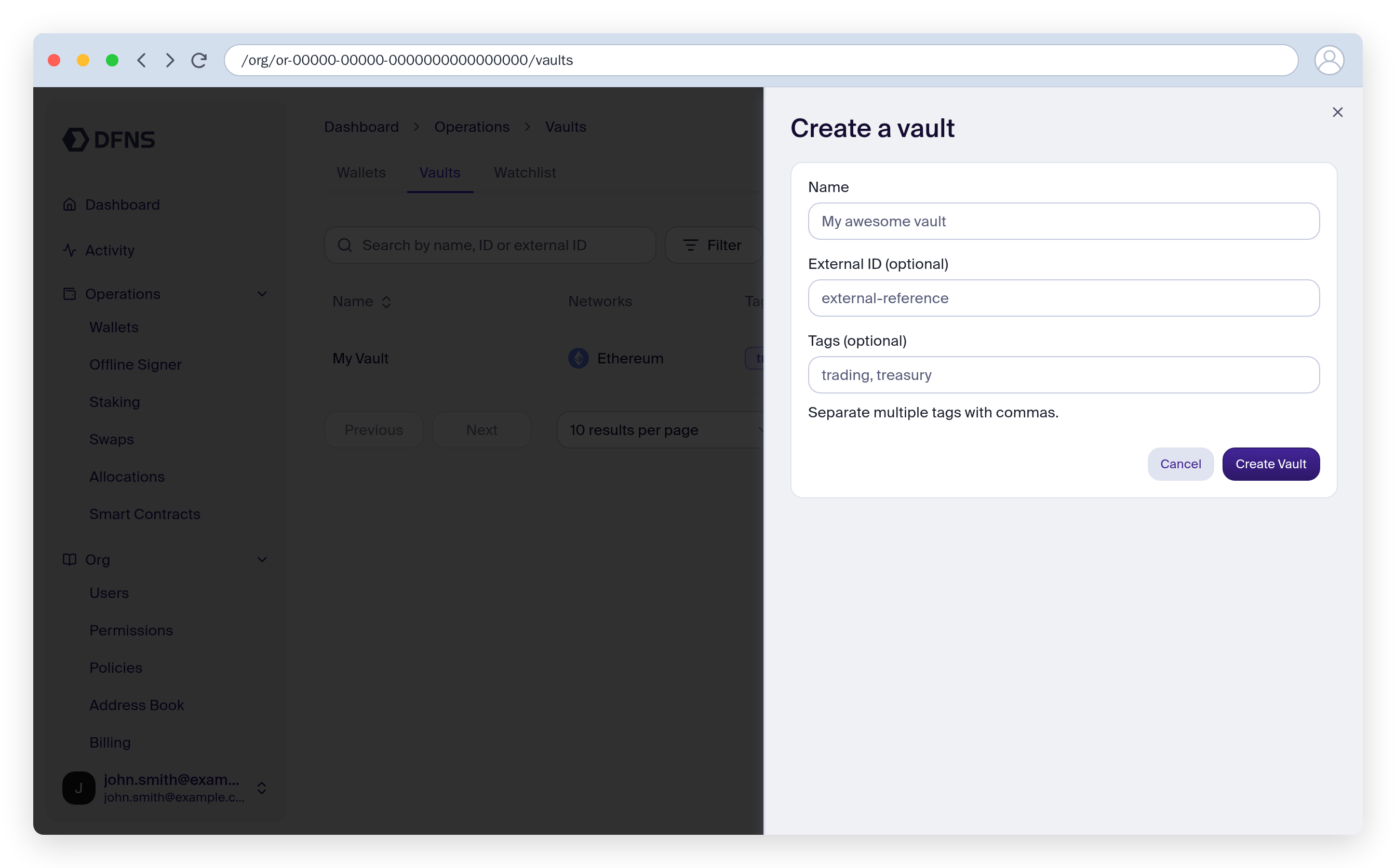
Add a network
1
Add a network
On the vault, select Add network and choose a network — EVM networks, Bitcoin, and Solana (native SOL and SPL/Token-2022 tokens) are supported. DFNS creates a managed address for the vault on that network.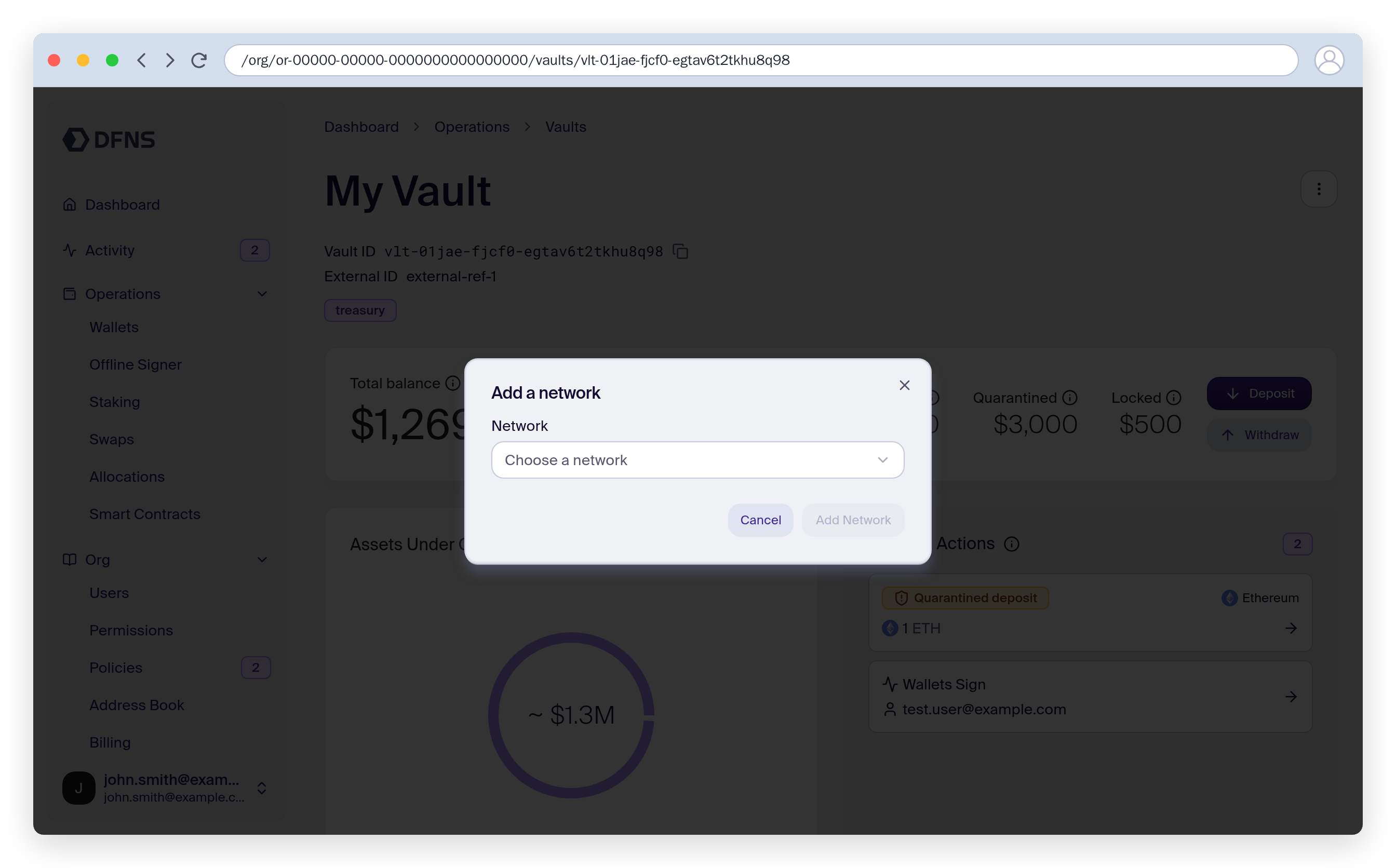
2
Repeat per network
Add each network you need. Each address is a deposit point for that network under the same vault balance sheet.
Receive funds
1
Open the deposit view
Select Deposit to display the vault’s address for the chosen network, with a QR code.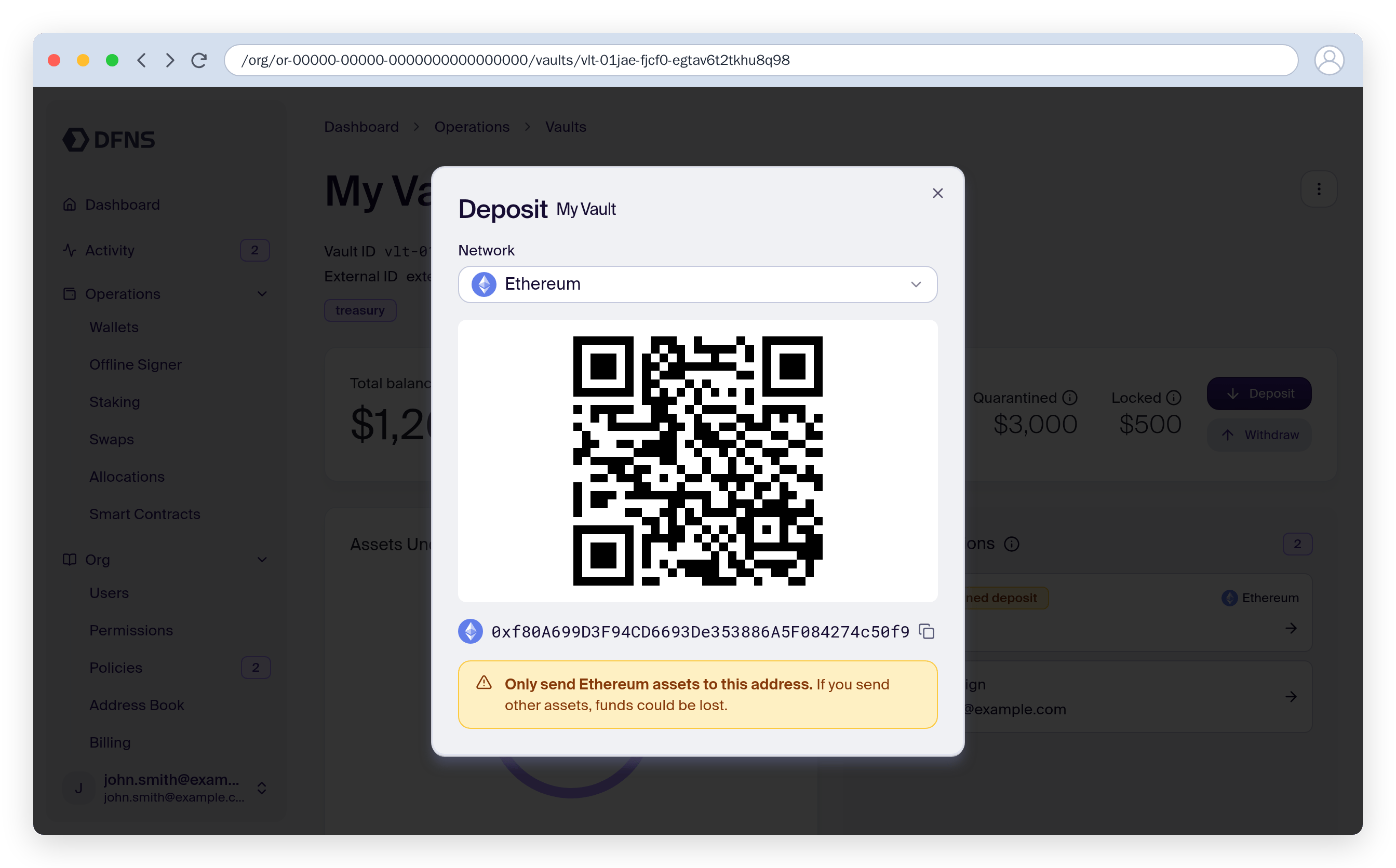
2
Send funds to the address
Funds sent to the address arrive quarantined — they appear in the vault’s incoming and quarantined balances, not the available balance.
Review and release quarantined funds
1
Open pending actions
The vault surfaces pending actions, including quarantined deposits awaiting review. Open a quarantine entry to see its details: the amount and asset, the network and originating transaction hash, and a Quarantined status.
2
Accept the funds
Select Accept funds to move the deposit into the vault’s available balance, where it can be transferred. Every incoming deposit is quarantined on arrival, and releasing it is a manual, signed action.If a release quarantine policy applies, the release is screened before the funds are made available — the vault shows the release as pending until the policy resolves. Scope the policy by vault tags to control which vaults it covers.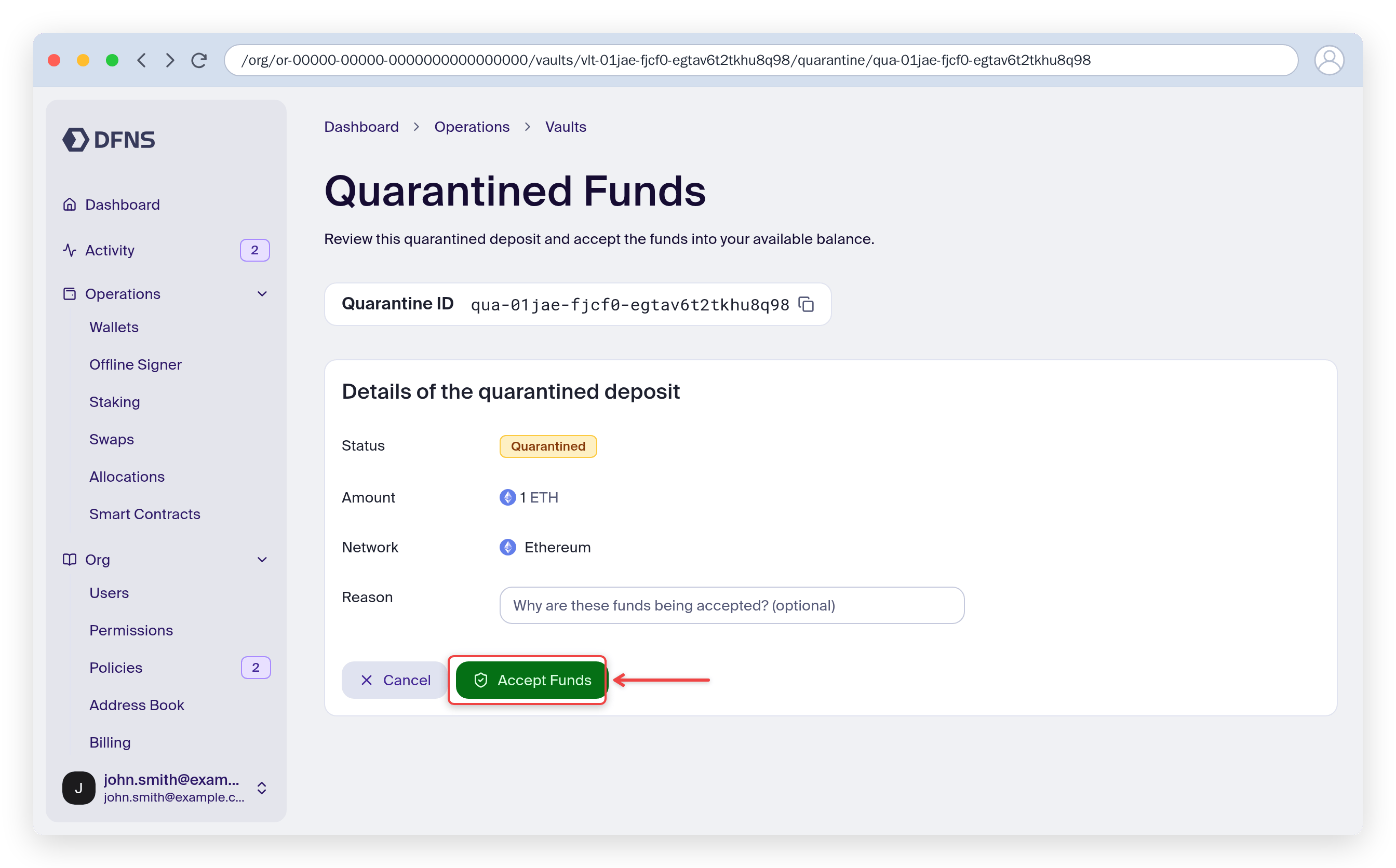
Send or withdraw funds
1
Start a transfer
Select Send (or Withdraw), then pick a funded asset. Only assets with an available balance can be transferred.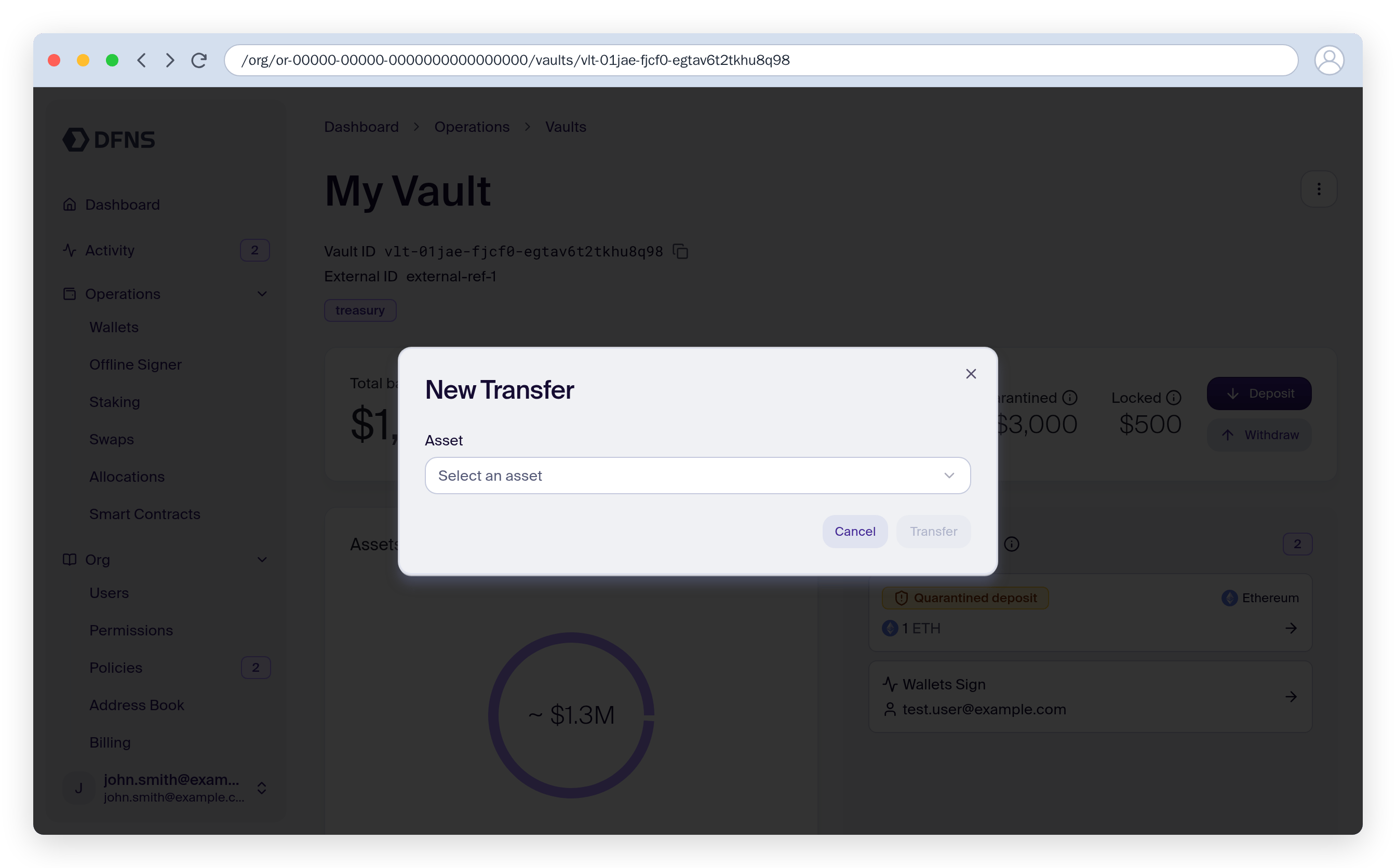
2
Enter the destination and amount
Enter the destination address and amount, then review the transfer summary.
3
Confirm
Confirm the transfer. The amount is reserved (locked) while the transfer is pending, then debited from the available balance once it settles. If a signing policy applies, the transfer first requires approval — the dashboard shows step-by-step status as each approval completes.
Lock funds
1
Create a lock
Lock part of a vault’s available balance for off-chain settlement or escrow. Pick an asset and amount to lock; the amount moves from available to the vault’s locked balance and can no longer be transferred until released.
2
Review, change, and release locks
The vault lists its active locks. From here you can change a lock’s amount without releasing and recreating it, or release a lock to return the funds to the available balance. Only the lock’s owner can change or release a lock, and a lock can’t be changed or released while an earlier change is still waiting for approval.
Changing a lock’s amount uses the Replace vault lock API under the hood: it releases the existing lock and creates a new one at the new amount in a single operation, carrying over the owner, external ID, and reason. If a policy applies, the change waits for approval before taking effect.
Review the vault’s history
The bottom of the vault page lists the vault’s History, most recent first: one row per incoming or outgoing transfer carrying its current status (such as Quarantined, Pending approval, In progress, Confirmed, or Failed), and one row per lock creation or release. Each row links the counterparty address and the on-chain transaction. Filter the view by type, network, or asset. The same data is available from the API through the List Vault History endpoint.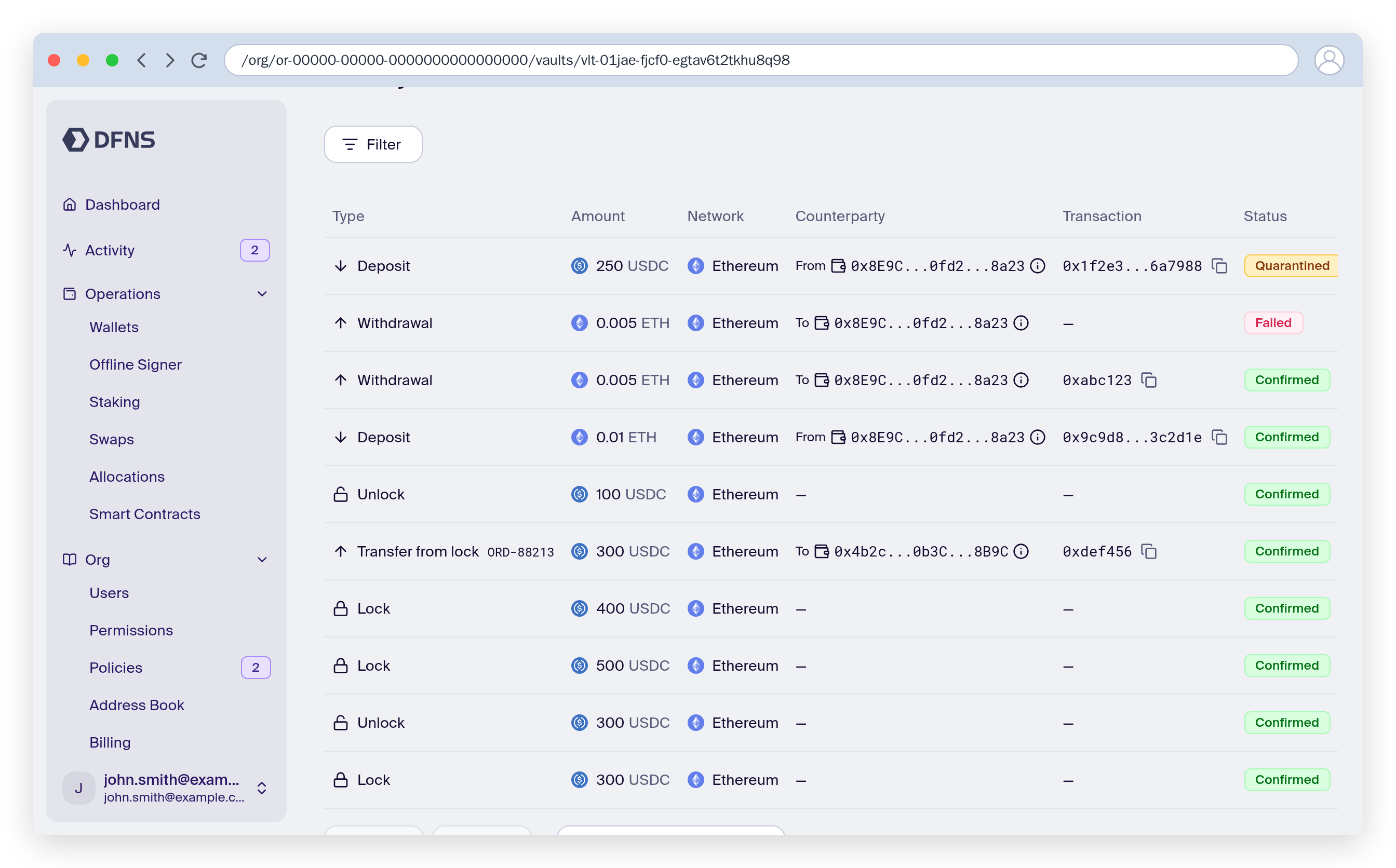
Rename a vault or edit its tags
1
Edit the vault
From the vault header, choose Rename or Edit tags, then confirm. Renaming and editing tags each take a single signed action.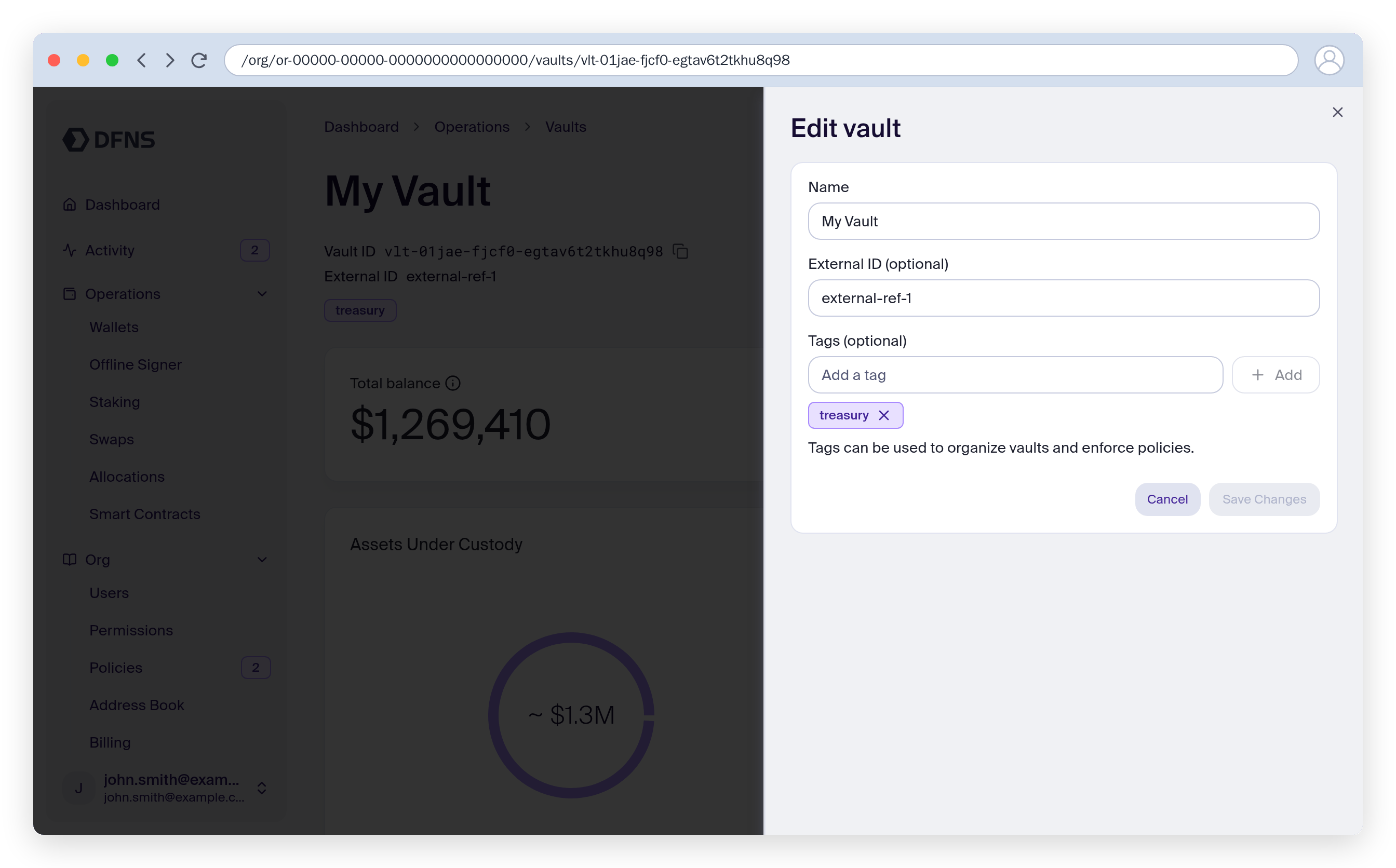
Get started
Create your first vault
Create, tag, and manage vaults via the API
Move funds
Add addresses and transfer assets out of a vault