> ## Documentation Index
> Fetch the complete documentation index at: https://docs.dfns.co/llms.txt
> Use this file to discover all available pages before exploring further.
# Find your organization ID
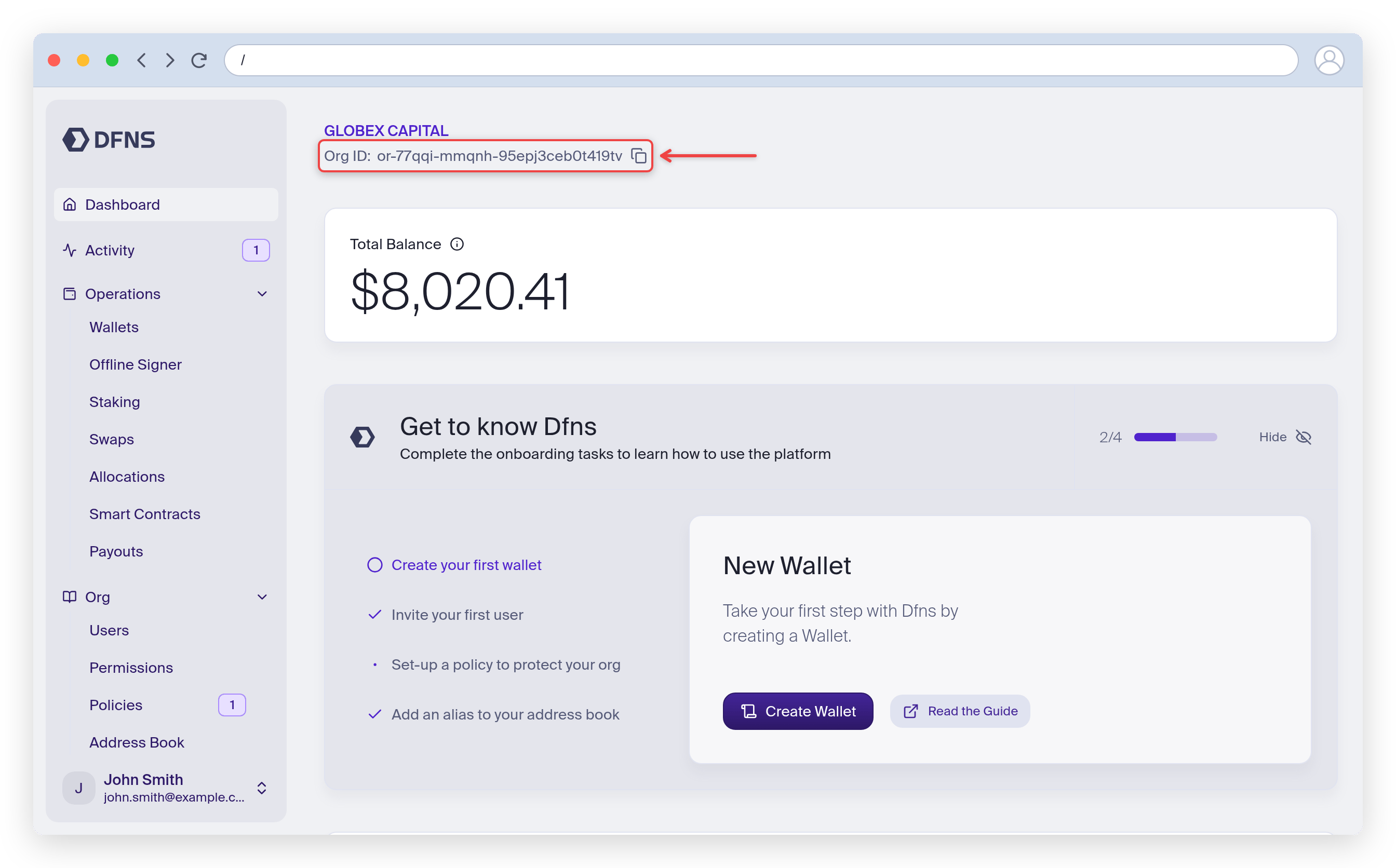
> The organization ID (orgId) is the unique identifier DFNS uses to segregate your data; it's shown at the top of the dashboard homepage.
Your organization ID (`orgId`) is the unique identifier DFNS uses to segregate your data. It's displayed at the top of the dashboard homepage, right under your organization name. Click the copy icon to copy it.
 You can also find it on your [Profile page](https://app.dfns.io/profile), or retrieve it programmatically from the [API](/api-reference/auth/credentials).